
feathers-webpush
feathers-webpush module provides a simplified way to send web push notifications in a FeathersJS application.
Principle
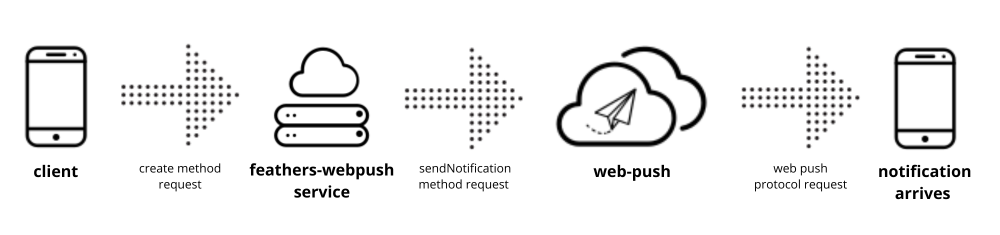
It leverages the web-push package to interact with the Web Push protocol.
Installation
Install with your preferred package manager:
bash
pnpm add @kalisio/feathers-webpushbash
npm install @kalisio/feathers-webpushbash
yarn add @kalisio/feathers-webpushConfiguration
To configure feathers-webpush in your FeathersJS application, you need to set up both the server and the client parts.
Server-side configuration
- Generate VAPID keys (using the
web-pushCLI):
bash
pnpm web-push generate-vapid-keys --json- Add the service to your Feathers app:
js
import { Service } from 'feathers-webpush/server'

const vapidDetails = {
  subject: process.env.VAPID_SUBJECT,    // e.g., 'mailto:admin@example.com'
  publicKey: process.env.VAPID_PUBLIC_KEY,
  privateKey: process.env.VAPID_PRIVATE_KEY
}

app.use('push', new Service({ vapidDetails, app }), {
  methods: ['create']
})
This sets up a service that can send web push notifications and handle subscription delivery results.
Client-side configuration
On the client, you need to:
- Register a service worker
- Request notification permission from the user
- Subscribe to push notifications using the server’s public VAPID key
js
import { registerServiceWorker, requestNotificationPermission, subscribePushNotifications } from 'feathers-webpush/client'

await registerServiceWorker()
await requestNotificationPermission()
const subscription = await subscribePushNotifications(publicVapidKey)
Example
For a complete example, see the feathers-webpush example in this repository.